
How to fix a paper jam in your dye sub photo printer

Experiencing a paper jam in your dye sub photo printer? Here’s our guide on how to fix it.
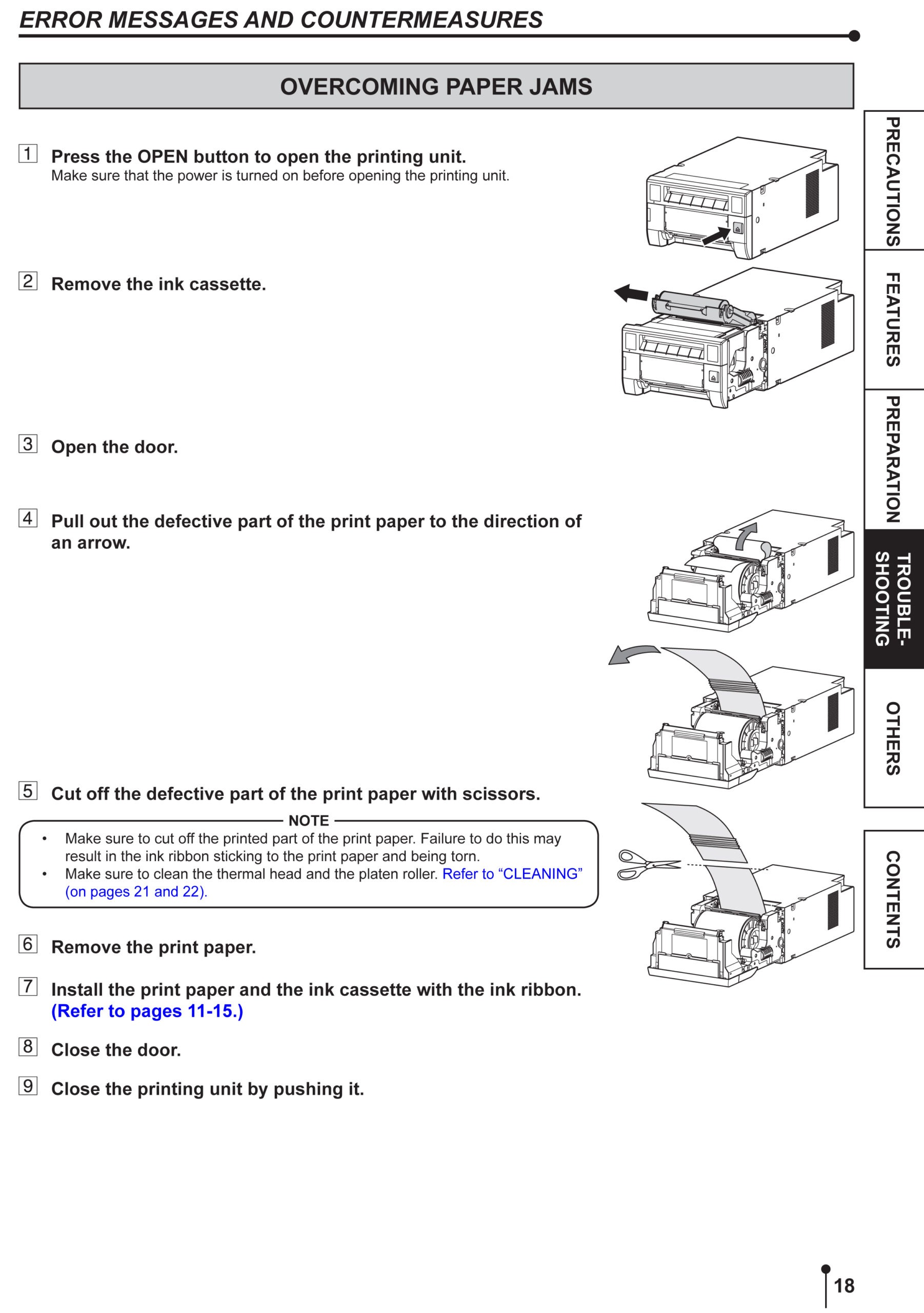
- Open your printer.
- Remove the ribbon tray.
- Open the paper door and pull out the jammed paper.
- Cut off the damaged part of the paper with scissors. Dispose of this.
- Install the paper roll back into the printer and close the paper compartment door.
- Insert the ribbon tray and close the printer.
This should fix your printer jamming issues. If you still continue to face issues, please contact us on 01329 835500 or email salesdept@systeminsight.com and we can book you in for our premium technical support service.